The initial concept came from trying to figure out
exactly where to live. Anybody who has bought a
house, or gone through the house-buying process,
knows that it is literally one of the worst things
on Earth. When I was looking for houses, trying to
work out where to live, and just being part of that
process, it was an absolute nightmare.
The whole thing could be better. The way I see it,
there are three main problems with trying to find a
house.
01
Location is too hard a parameter.
Most of the time, at least among the people I spoke
to, you do not actually know where you want to live.
You know vaguely who or what you want to be near.
You know that you want to get to work by a certain
method within a certain time. Maybe you want to be
near family. But most of us do not care enough about
one exact place to make it the primary search
parameter.
Instead, you spend loads of time Googling “the best
place to live near…” without really engaging with
the question: what do I want to exist in? Where do I
want to be?
02
Hard parameters are too limiting.
We set really hard-and-fast rules: I absolutely
cannot go above this price; I must have four
bedrooms; I must be in this area. Realistically, if
you found your perfect house and it had one fewer
bedroom but was £40k under your budget, of course
you would consider it.
You could add the bedroom, split things out or make
it work. The house may be perfect for you, but the
hard parameters stopped you ever seeing it.
03
The process is not fit for purpose.
The process is atrociously bad and not fit for
purpose. You are buying from the small pool of homes
actively for sale, rather than the whole pool of
homes that could potentially be bought.
People sell rarely, and most do not want to go
through the rigmarole of listing. But I think plenty
of people would sell if somebody came to them with
the right offer — perhaps £10k, £20k or £30k above
what they expected. Everybody has a price; nobody
knows what that price is.
The search problem
The search is the wrong way around.
What if you could list your house without listing
your house?
A lot of the time, you are not really looking for “a
house”. You are looking for an area and a way of
living: I need to be near nature; I want to walk to
the gym; I would like to be near a beach. Those
things may matter more than the exact postcode.
There are still non-negotiables. I might prefer a
Victorian, Edwardian or Georgian house. I might want
a garden, or lots of light. But if you found the
right home in exactly the right place and it missed
one of those preferences, you might not care.
Current property search finds an almost-perfect
house and then asks whether it is in the right
location. To me, that is the wrong way around.
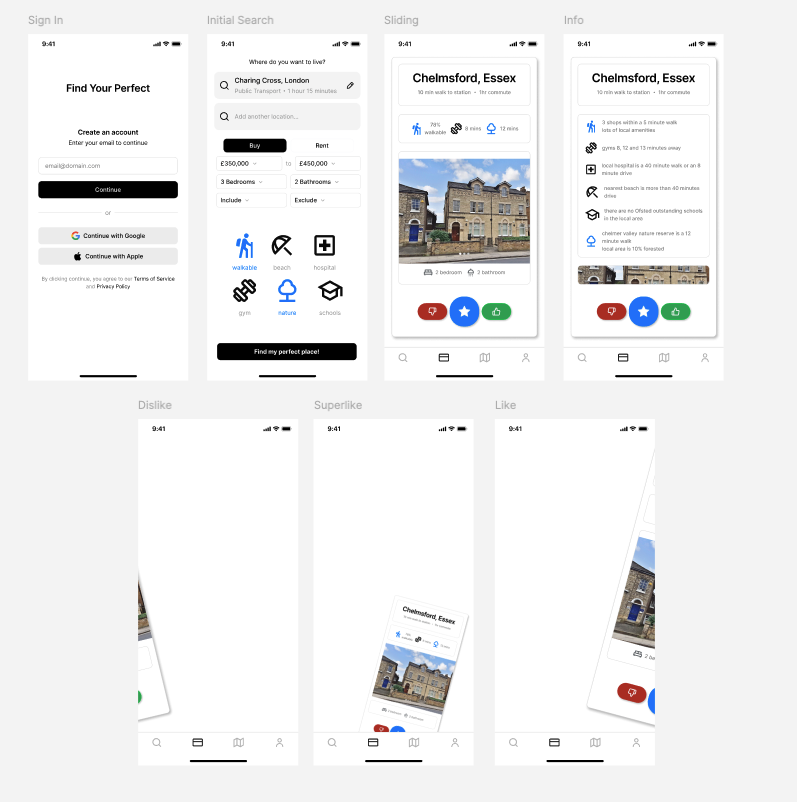
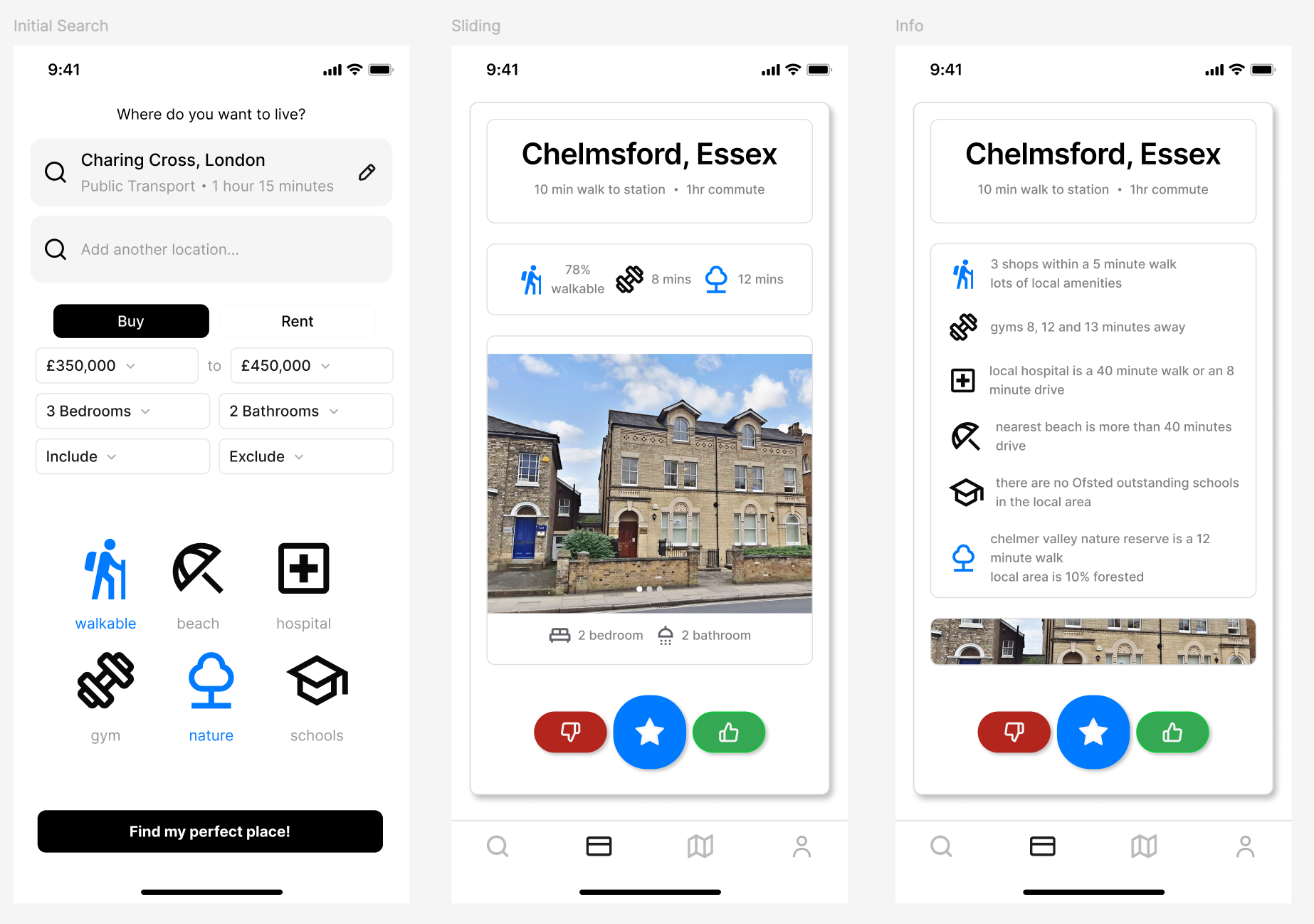
Initial concept
A Tinder-style approach to house buying.
Figma screens for sign-in, search, property
details, like, dislike and super-like.
Property card with lifestyle and travel data.
Commute, price and property basics sit alongside
walkability, gyms, nature, beaches, hospitals
and schools.
Implementation
Learning and ranking
The app is an Expo client. The feed, postcode
evidence, ranking and per-user learning run in the
Python service.
01
Postcode evidence and missing data
The offline build combines amenity,
transport, education, healthcare,
greenspace and other sources into comparable
postcode features.
Missing evidence is not treated as a zero.
Available weights are renormalised and
coverage is returned separately as a
confidence value. An incomplete source
therefore makes the score less certain, not
automatically worse.
housefinder/homr_learning/formulas.pyPython
def weighted_available(
    values: Mapping[str, float | None],
    weights: Mapping[str, float],
) -> tuple[float | None, float]:
    available = [
        (key, values.get(key))
        for key in weights
        if values.get(key) is not None
    ]
    if not available:
        return None, 0.0

    available_weight = sum(
        weights[key] for key, _ in available
    )
    score = sum(
        weights[key] * float(value)
        for key, value in available
    ) / available_weight
    confidence = available_weight / sum(weights.values())
    return clamp01(score), clamp01(confidence)
02
Impression snapshots
The client submits the server-issued
impression ID, the decision and the time
spent on the card. It does not submit the
feature values used for learning.
The API trains from the immutable snapshot
stored when that card was served. Impressions
are user-owned and single-use. A super-like
carries twice the base weight, while dwell
time adds a smaller capped adjustment.
if impression.consumed_at is not None:
    raise ValueError("impression_already_used")

snapshot = impression.feature_snapshot
affinities = impression.affinity_snapshot
prior_swipes = swipe_count(db, user_id)

direction_weight = 2.0 if direction == "up" else 1.0
dwell_weight = (
    1.0
    + min(max(dwell_ms, 0), 30_000) / 120_000.0
)
training_weight = direction_weight * dwell_weight
label = 0.0 if direction == "left" else 1.0
03
Online preference update
Each user has a small online model over
walkability, connectivity, nature, active
lifestyle, healthcare, education, property
size and requirement fit. Separate affinity
weights learn wards, districts, outward
postcodes and property types.
The learning rate reduces as history grows,
L2 regularisation pulls unstable weights
towards zero, and each feature has an
explicit limit. Hidden area context is
ignored for the first 30 swipes, regularised
more heavily and capped below the public
feature signal.
housefinder/homr_learning/learner.pyPython
prediction = preference_score(
    safe, weights, swipes=prior_swipes
)
learning_rate = (
    BASE_LEARNING_RATE
    / math.sqrt(1.0 + prior_swipes / 20.0)
)

for spec in FEATURE_SPECS:
    if not spec.learnable or (
        not spec.public
        and prior_swipes < HIDDEN_ACTIVATION_SWIPES
    ):
        continue

    x = centred_feature(safe[spec.feature_id])
    if x == 0.0:
        continue

    regularization = (
        HIDDEN_L2 if not spec.public else PUBLIC_L2
    )
    current = weights[spec.feature_id]
    gradient = (
        training_weight * (label - prediction) * x
        - regularization * current
    )
    weights[spec.feature_id] = max(
        -spec.max_abs_weight,
        min(
            spec.max_abs_weight,
            current + learning_rate * gradient,
        ),
    )
04
Requirement and learned-score blend
Personalisation starts at zero and ramps to a
maximum of 35% after 30 swipes. The starting
price, space and commute requirements
therefore retain at least 65% of the rank.
The confidence level controls how far a
flexible search may move. A bedroom
shortfall is capped at one; price and
commute allowances grow within fixed limits.
Eligibility is checked before
requirement-fit features are added to the
learner.
The feed reserves roughly 10% of a full
eligible page for a home that differs from
the leading result. Diversity is measured
across the visible numeric features and the
area and property-type affinities.
This is the part intended to surface the
house or area the user would not have asked
for directly. It explores within the valid
candidate pool rather than inserting an
arbitrary bad match.
housefinder/api.pyPython
exploration_slots = (
    max(1, round(limit * EPSILON))
    if limit >= 5 and len(scored) > limit
    else 0
)

def diversity(item):
    values = []
    for key, value in item["_feature_snapshot"].items():
        if key in {"deprivation_context", "crime_context"}:
            continue
        other = anchor.get(key)
        if value is not None and other is not None:
            values.append((float(value) - float(other)) ** 2)

    categorical_difference = sum(
        1.0
        for affinity in item["_affinity_snapshot"]
        if (affinity["category"], affinity["key"])
        not in anchor_affinities
    )
    return sum(values) + 0.25 * categorical_difference

chosen = max(remaining, key=diversity)
Why build it
There is no substitute for having it in your hands.
I am a design engineer — a technical designer,
as far as games go. I like making the thing. The
Figma is all well and good, and it is fine, but
there is absolutely no substitute for having it
in your hands, good and proper.
Figma has a vibe, in the same way that you can
sometimes tell a game was made in Unity. The
house-buying process is already miserable, so
why not make it look nice?
The app and website
I built the app and this website in tandem. I
enjoy the CSS-style highlights, graphic buttons
and Bauhaus-inspired shapes, and they lend
themselves well to this house-search idea. If
you do something well, you can reuse it.
Built version
The app.
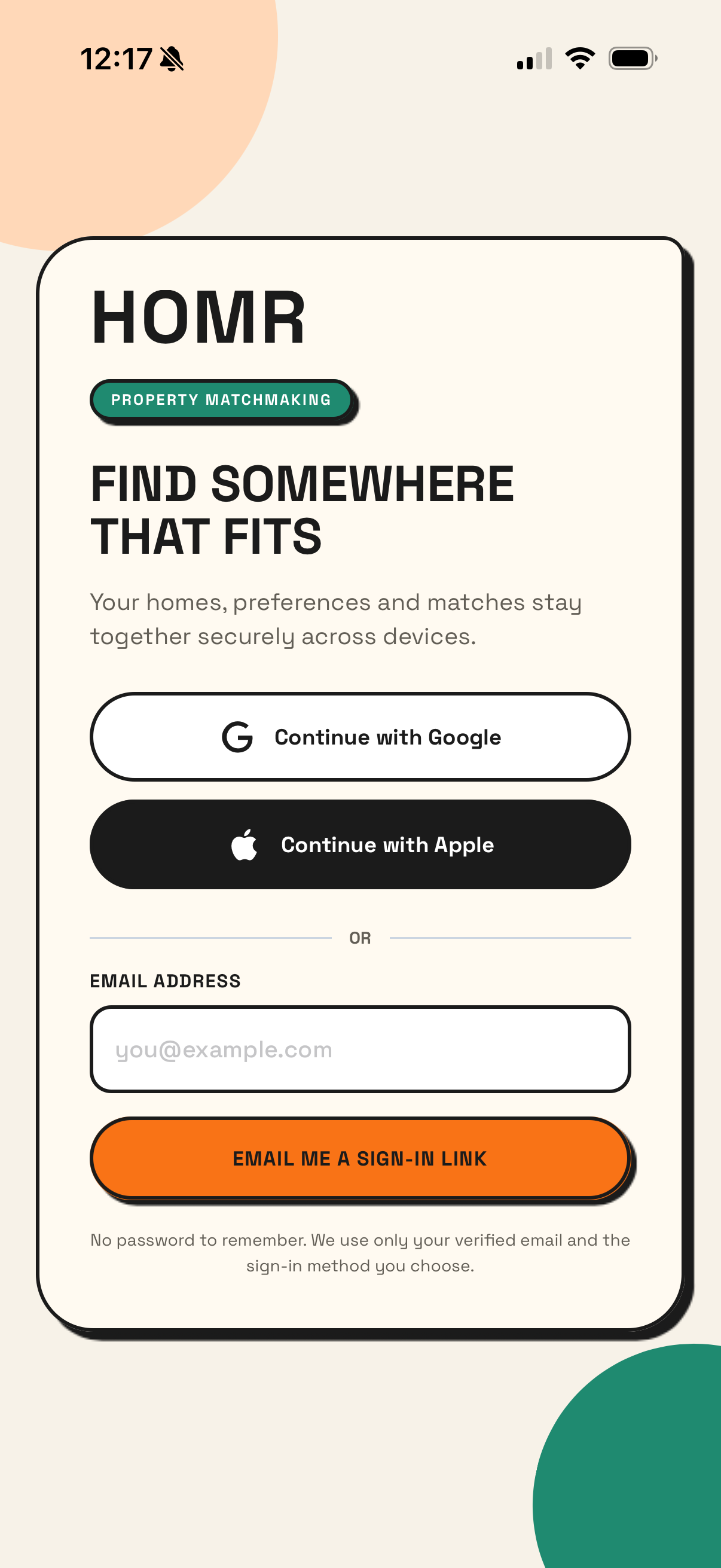
01 / Login
A typical login screen.
Login
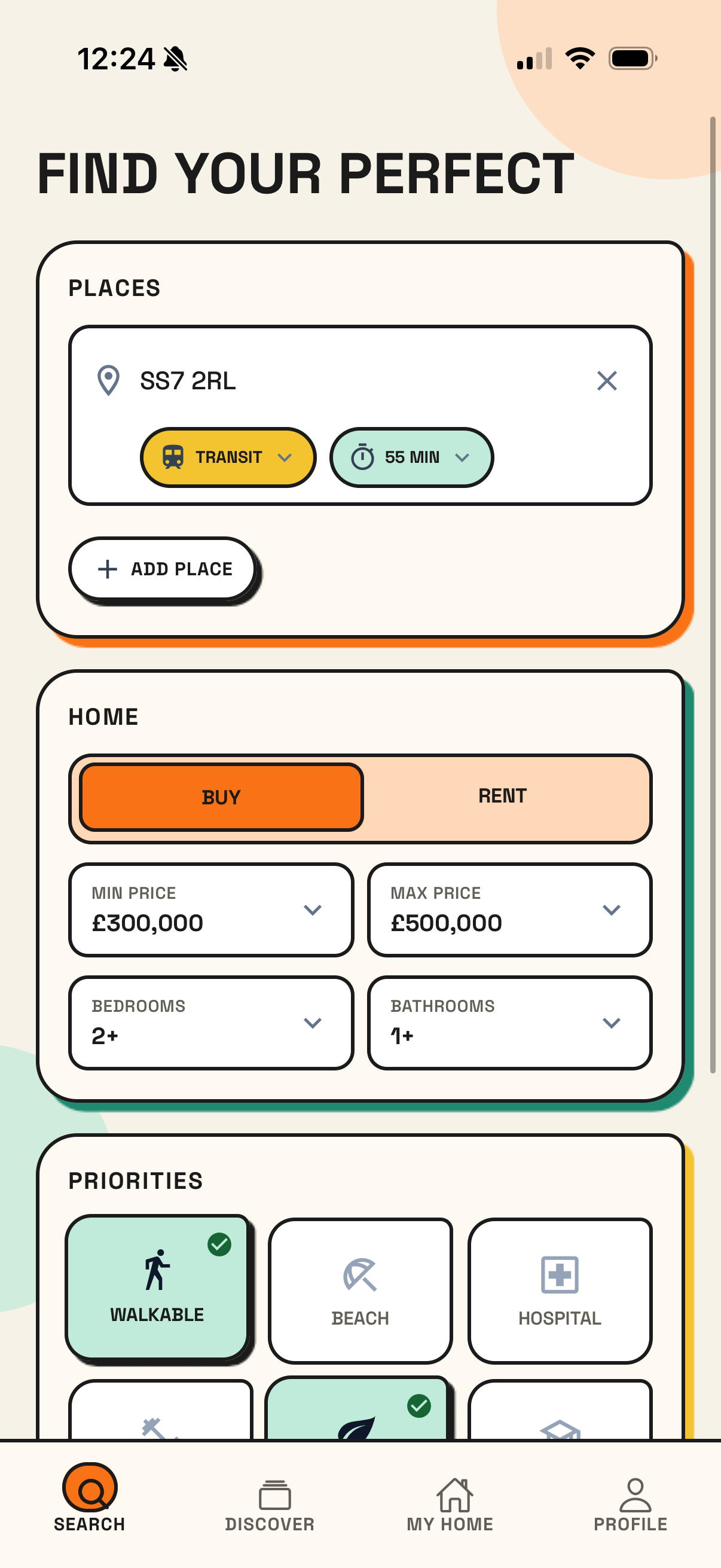
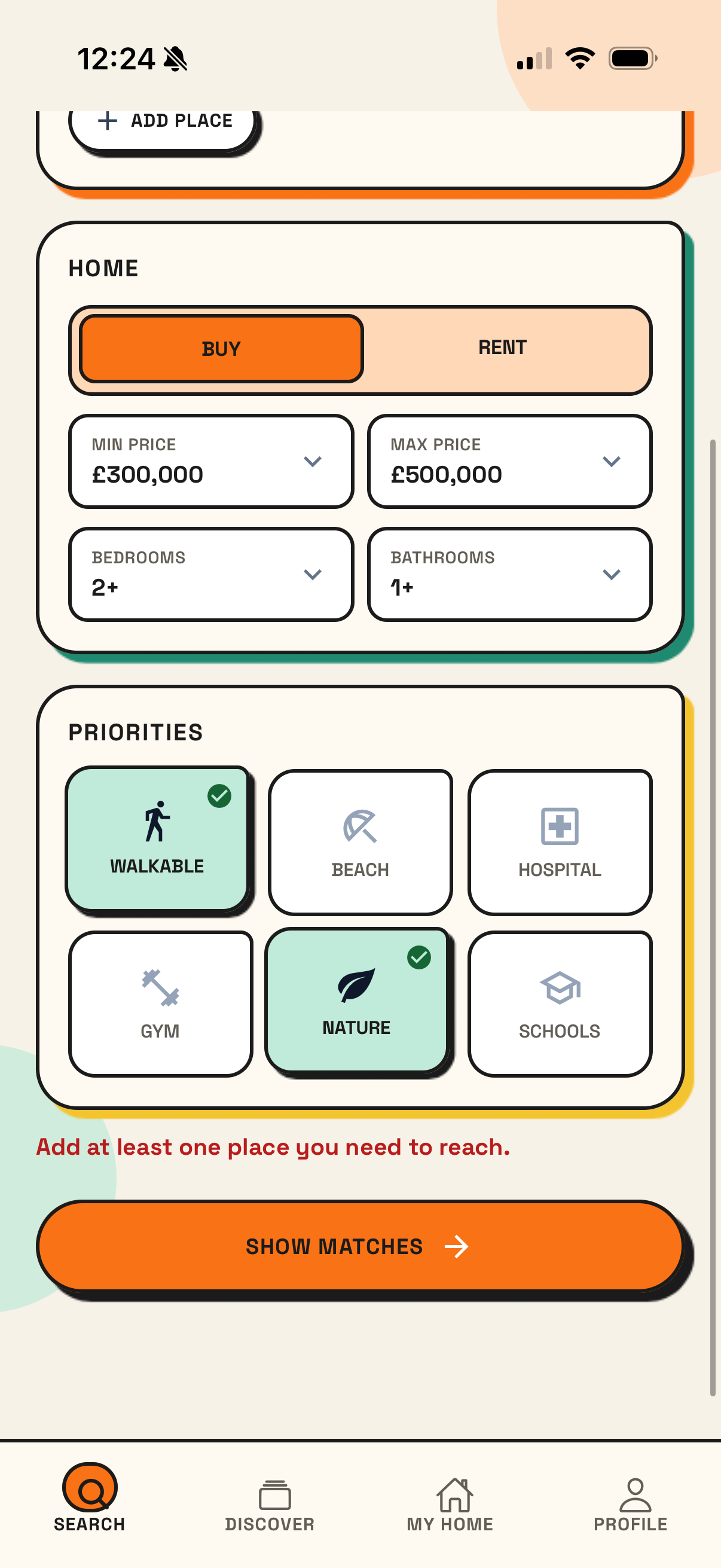
02 / Search
Say where you need to get to, whether you want
to buy or rent, and give the normal property
parameters. Then add priorities such as
walkability, nature, beaches, gyms, schools and
hospitals.
Search basics
Priorities
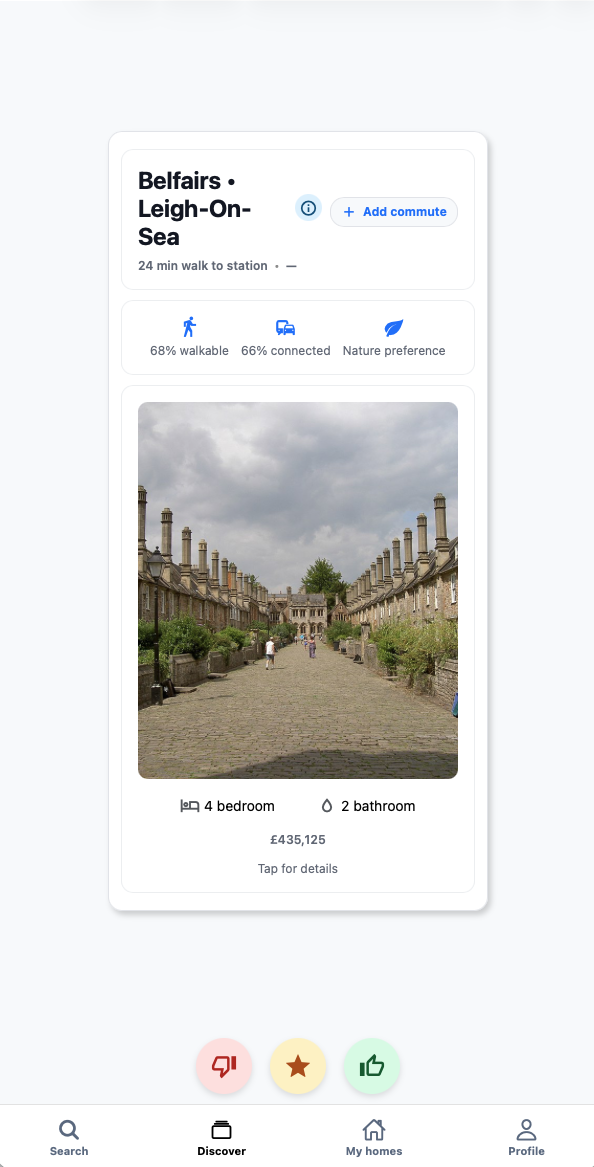
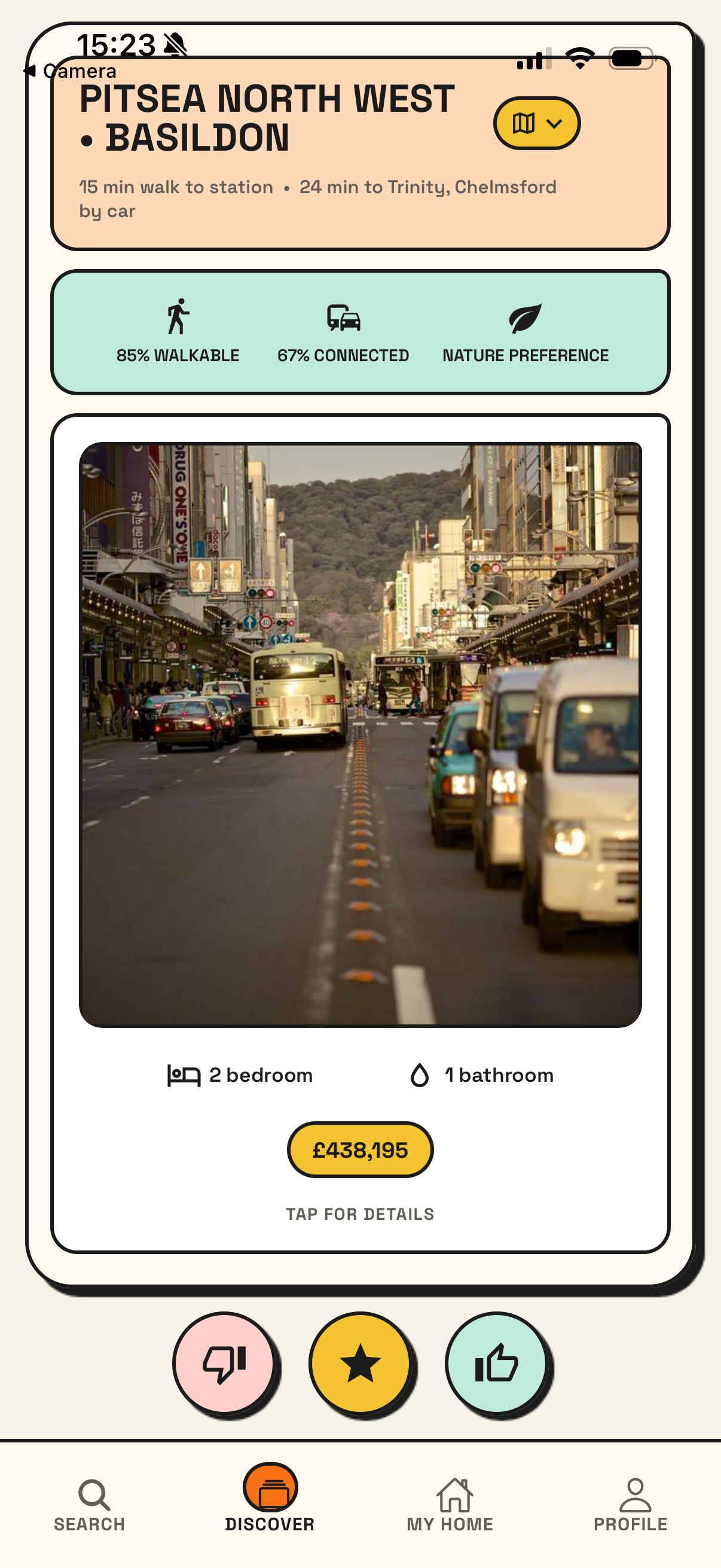
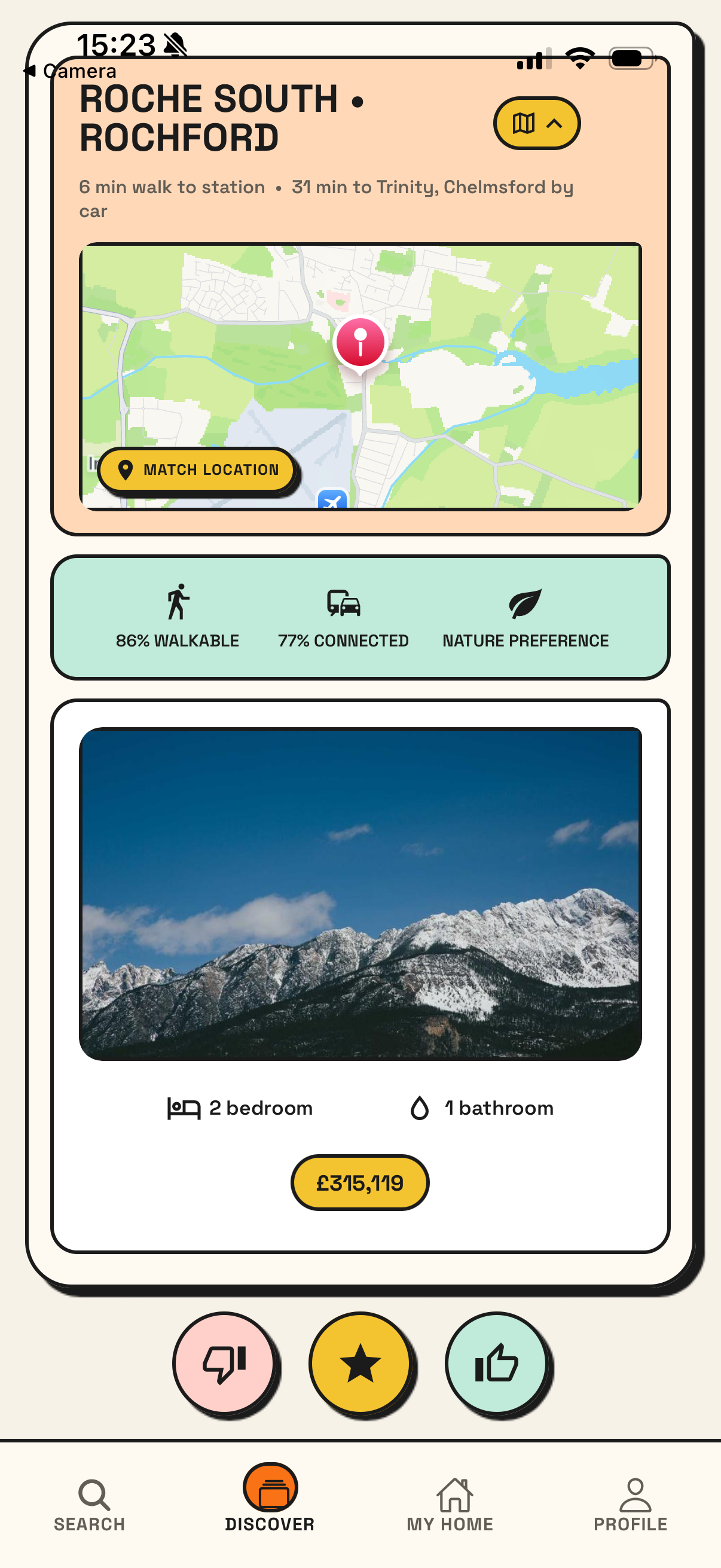
03 / Property cards
The discovery cards put travel time, match
signals and property basics together. You can
tap to expand the map at the top, then swipe or
use the response buttons.
Property card
Expanded map
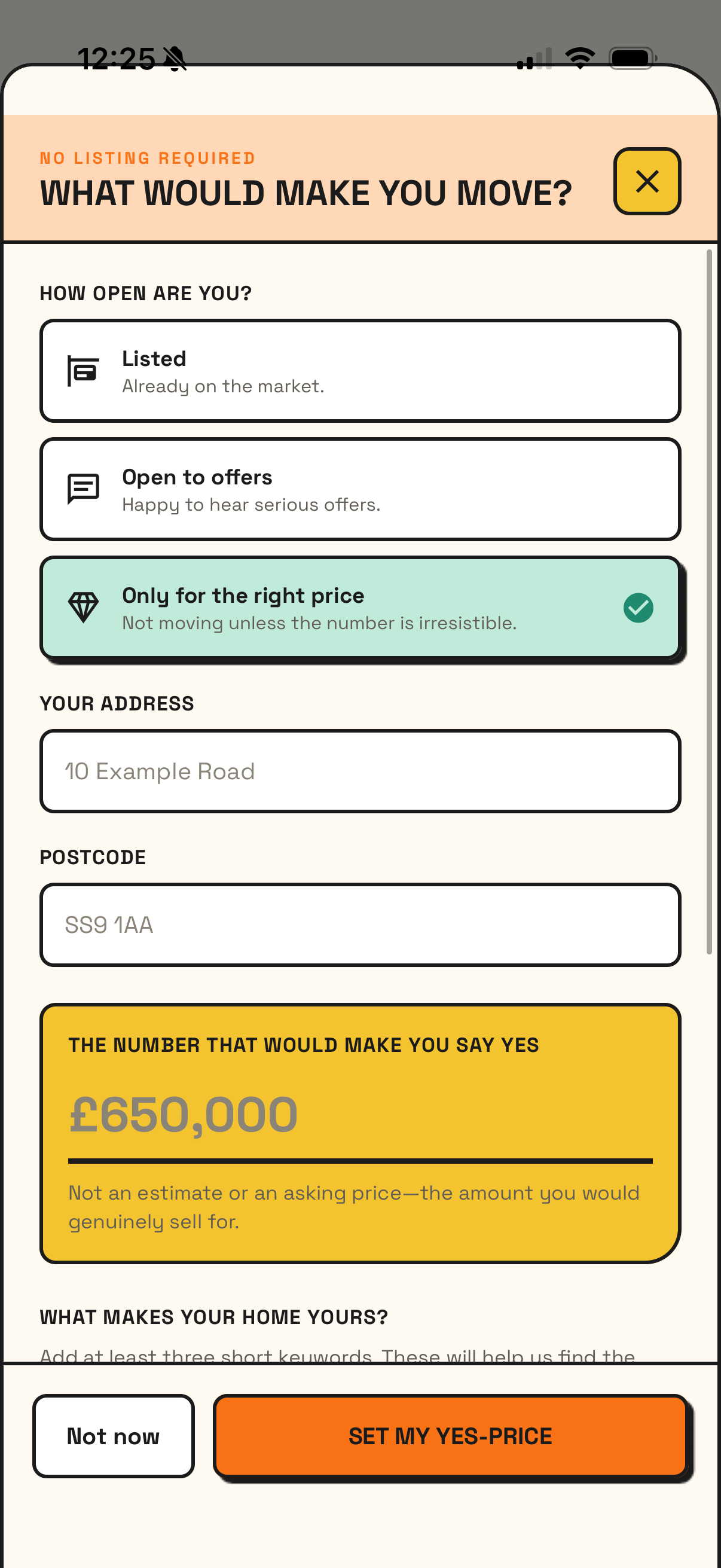
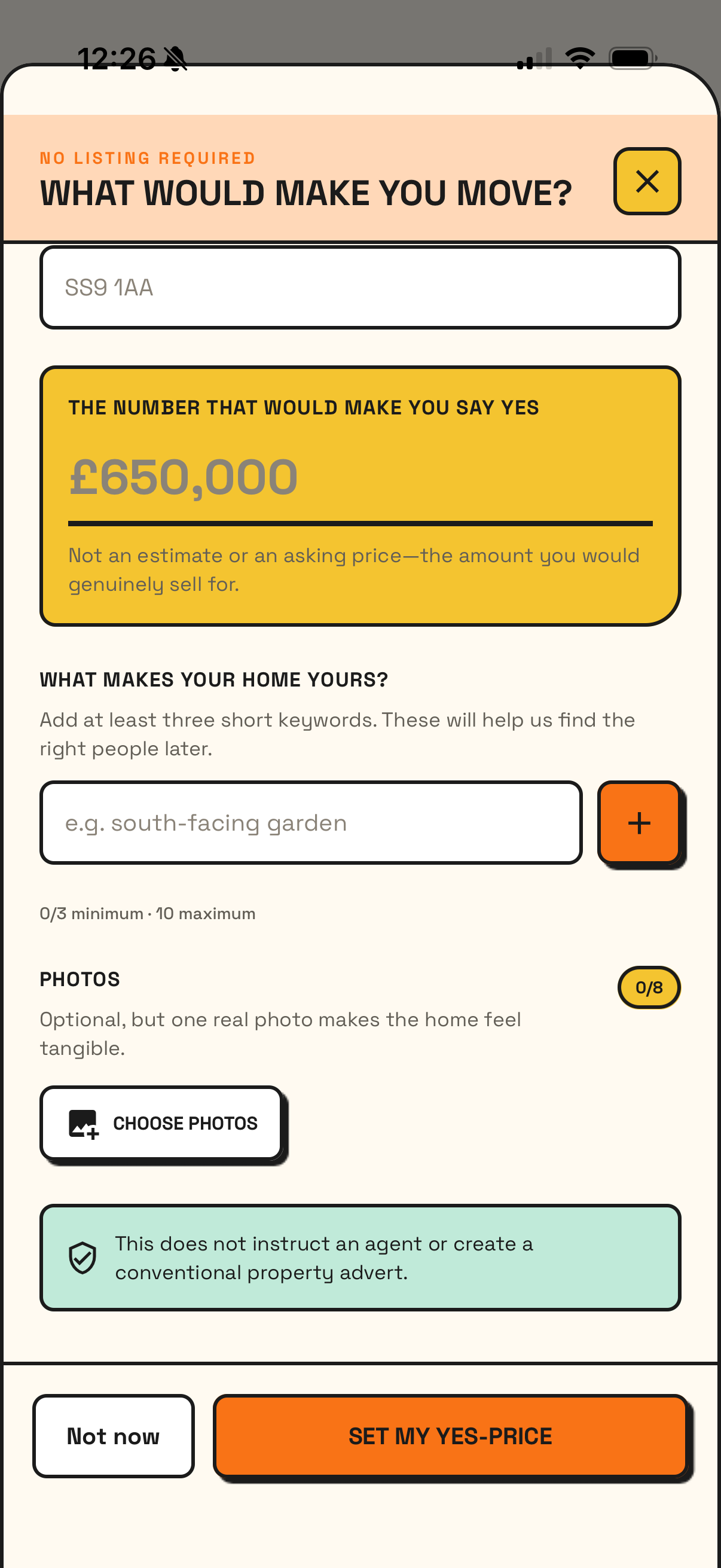
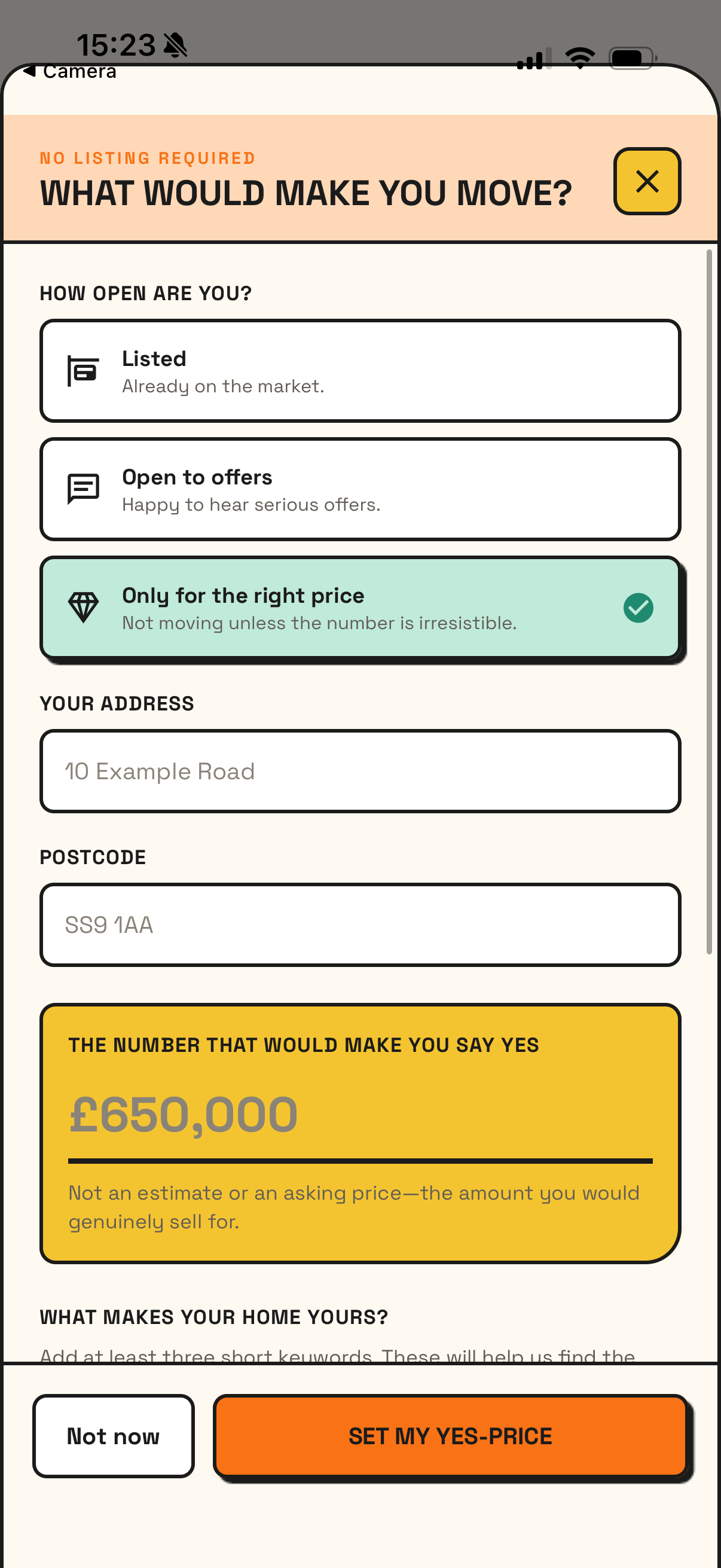
04 / Your home
Everyone has a yes price.
You can assign your home, add a “yes price”,
keywords and photos. It can be one photo and a
few details. The idea is to list your house
without going through a conventional listing
process.
Early version
Early version
Built screen
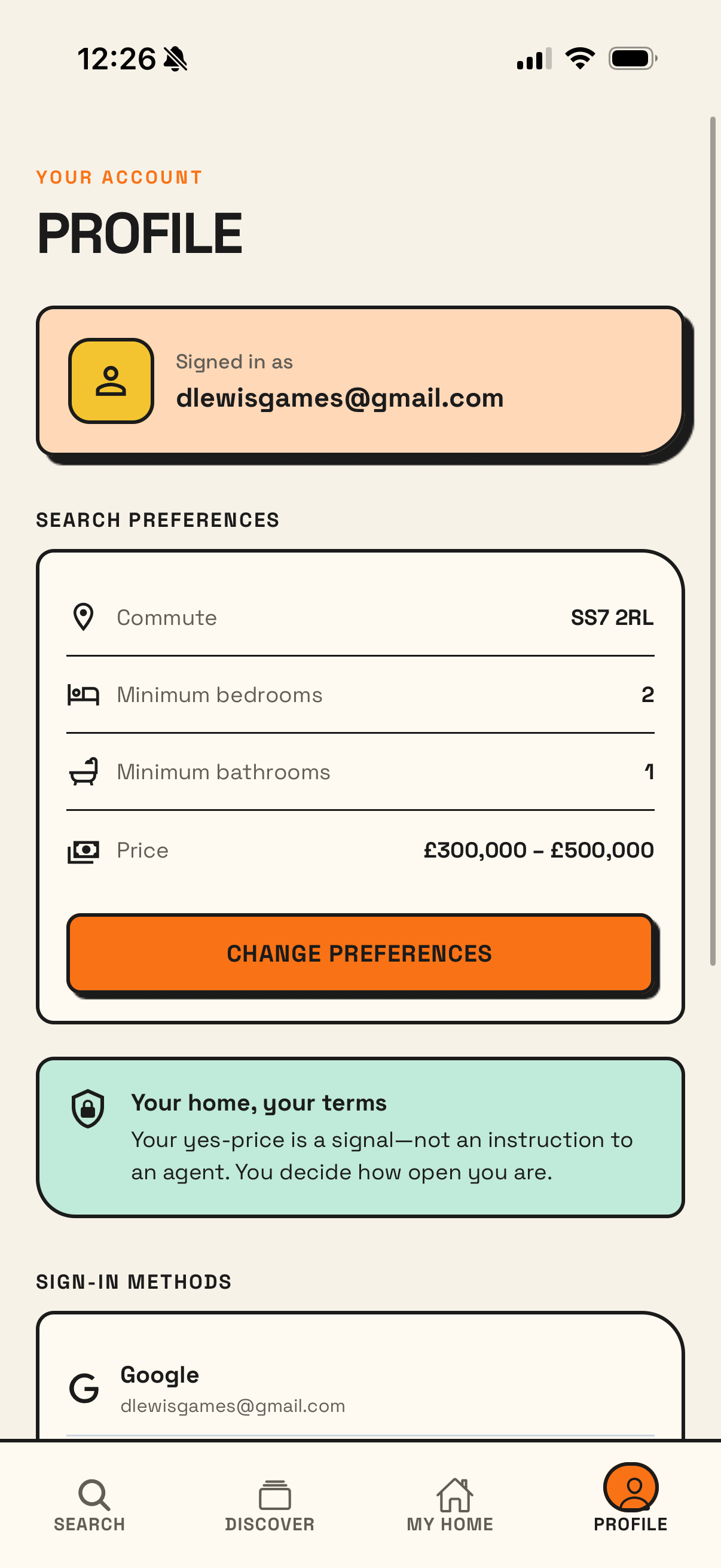
05 / Profile
Search preferences and your own home live
together in the profile.
Profile
Current state
Current state.
The app does not serve real properties yet, so the
screens use sample listings and default images. The
Python service already builds and ranks the
prototype feed, stores impressions and updates the
per-user learning model; it is not yet connected to
a live property supply.