Flask, HTML and JavaScript
The application, interface and business workflows were built as one full solution rather than a set of disconnected tools.
A full business solution, primarily for tracking tasks and jobs, built in Flask, HTML and JavaScript for a manufacturing client.
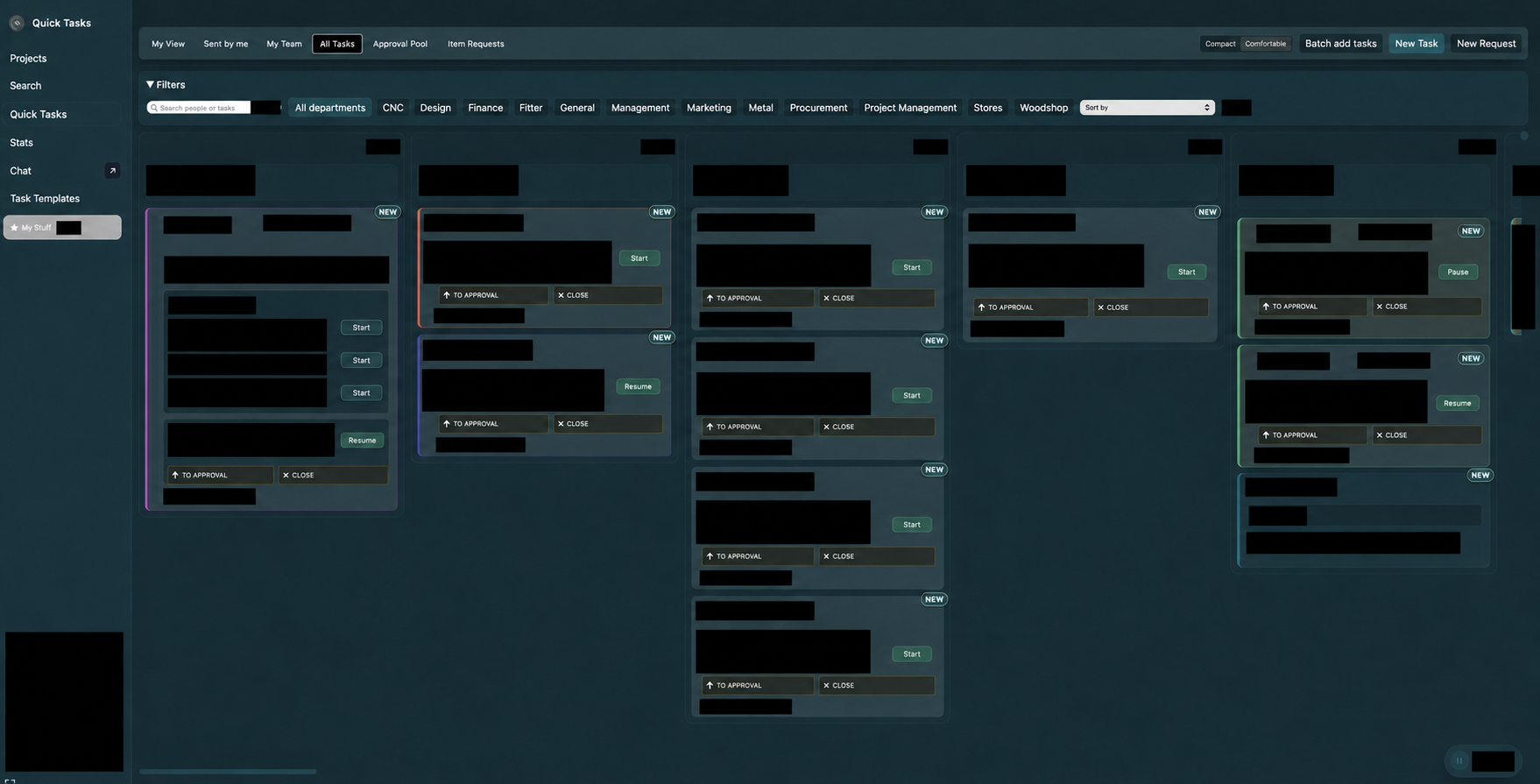
Polytracker was created for small businesses and manufacturing companies that need to track jobs without the faff of large-scale work-tracking software built around Silicon Valley companies.
It helps the client organise work, understand employee performance and workload, and plan the critical path through active jobs.
The application, interface and business workflows were built as one full solution rather than a set of disconnected tools.
The system was delivered in constant conversation with the client, with the software shaped around how the business actually manages work.
Polytracker runs on the client’s own infrastructure. Its production setup uses Flask with Waitress and a scripted local installation.
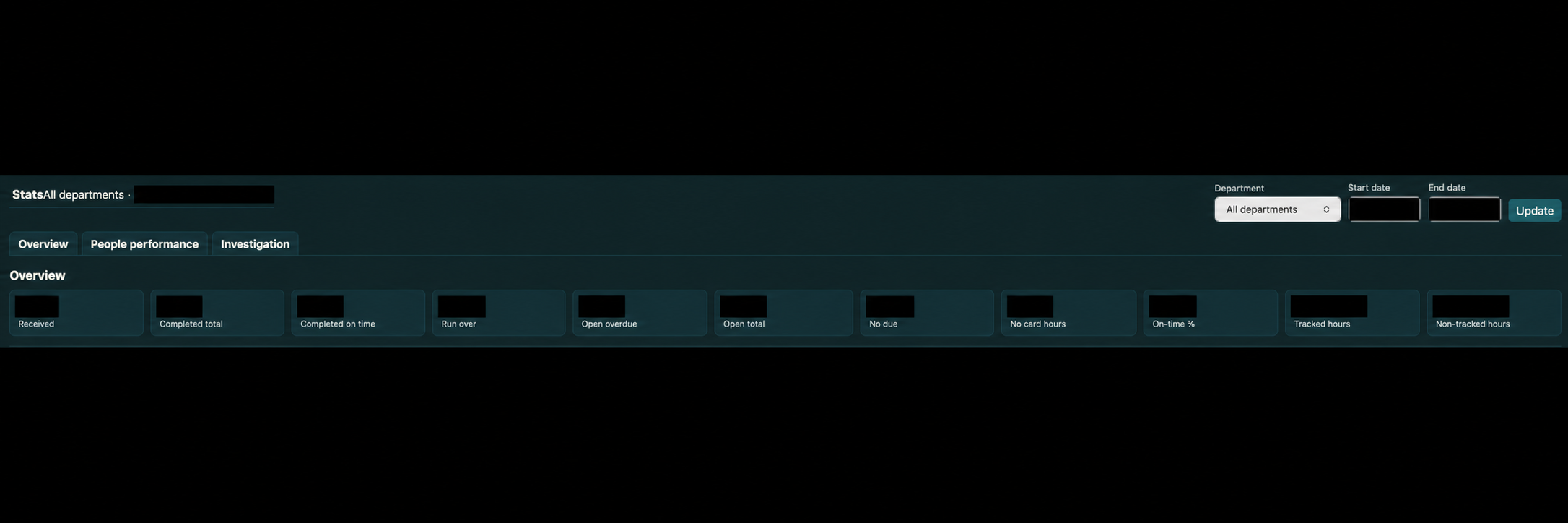
Date-bounded reporting covers received and completed work, overdue tasks, tracked hours and on-time completion. The people view uses the same underlying task history to help understand individual workload and performance.
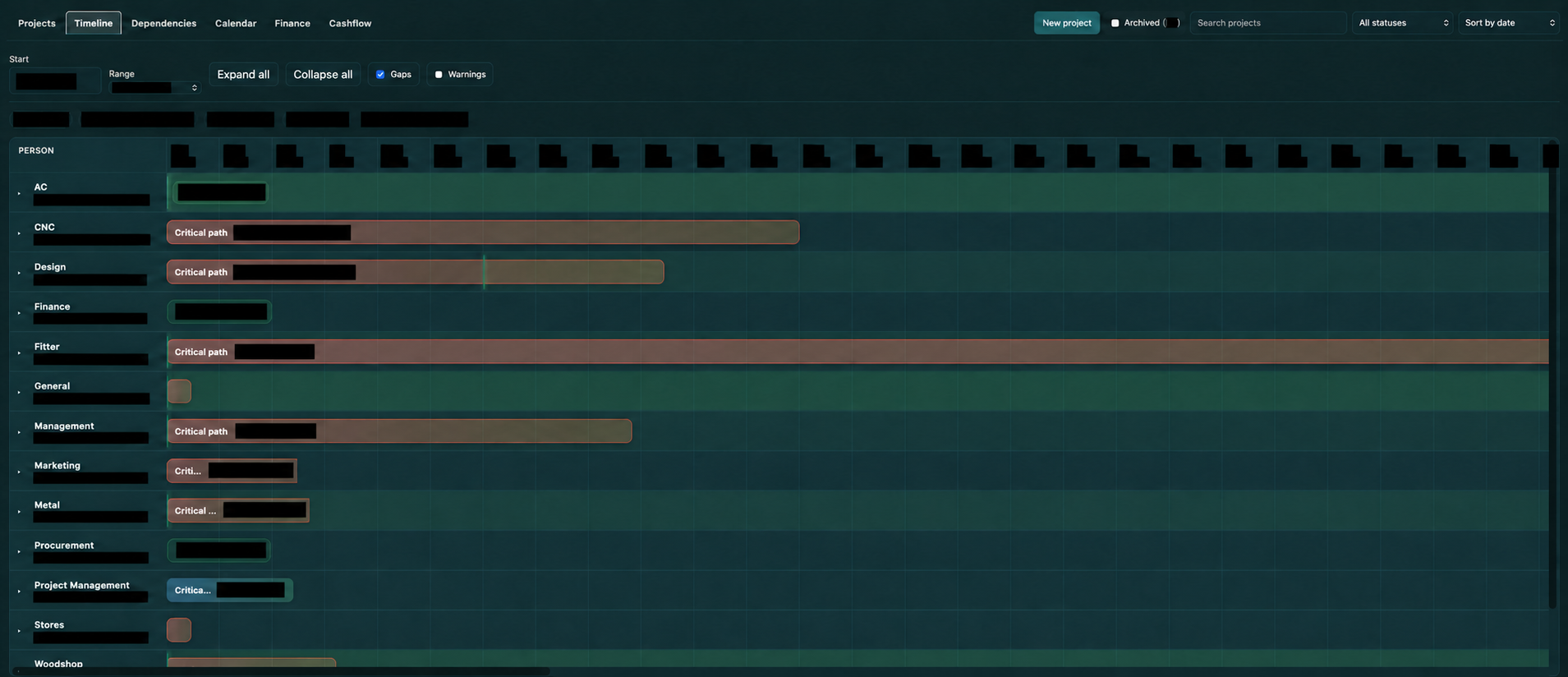
The timeline brings department capacity and the critical path into the same view. It makes gaps, warnings and work dependencies visible when jobs are being planned.
These excerpts come from the working Sorrells codebase behind the application.
The Flask reporting route works from completed task history over a selected date range. It groups average completion time by assignee and task complexity, while also keeping an overall average for each person.
That makes the comparison more useful than one undifferentiated speed figure: a person’s work can be read in the context of the jobs they were completing.
rows = conn.execute(
    """
    SELECT t.assignee,
           LOWER(COALESCE(t.complexity, '')) AS complexity,
           AVG(b.duration_minutes) AS avg_minutes
    FROM task_burndown b
    JOIN tasks t ON t.id = b.task_id
    WHERE b.completed_at IS NOT NULL
      AND date(b.completed_at) BETWEEN ? AND ?
      AND t.assignee IS NOT NULL
      AND TRIM(t.assignee) <> ''
    GROUP BY t.assignee,
             LOWER(COALESCE(t.complexity, ''))
    """,
    (start_date.isoformat(), end_date.isoformat()),
).fetchall()

for row in rows:
    person = _touch_person(row["assignee"])
    if not person:
        continue
    label = (
        (row["complexity"] or "unspecified").strip()
        or "unspecified"
    )
    minutes = row["avg_minutes"]
    if minutes is None:
        continue
    person.setdefault("avg_close_minutes", {})
person["avg_close_minutes"][label] = float(minutes)The server renders each task with its calculated critical-path depth. The board can then sort locally by depth, followed by normal priority and due date, without another request or a separate planning screen.
<li class="priority-task quick-task-item"
    data-task-id="{{ task.id }}"
    data-critical-path="{{ task.critical_path_depth or 0 }}"
    data-priority="{{ task.priority if task.priority is not none else '' }}"
    data-due="{{ task.due or '' }}">
    ...
</li>const sortListByCriticalPath = (list) => {
const items = $$(".priority-task", list);
items.sort((a, b) => {
const aDepth = Number.parseInt(
a.dataset.criticalPath || "0", 10
);
const bDepth = Number.parseInt(
b.dataset.criticalPath || "0", 10
);
if (aDepth !== bDepth) return bDepth - aDepth;
const aPriority = Number.parseInt(
a.dataset.priority || "99", 10
);
const bPriority = Number.parseInt(
b.dataset.priority || "99", 10
);
if (aPriority !== bPriority) {
return aPriority - bPriority;
}
return (a.dataset.due || "").localeCompare(
b.dataset.due || ""
);
});
items.forEach((item) => list.appendChild(item));
updateOrder(list);
};A PowerShell installer creates an isolated Python environment, writes the local production configuration and starts the Flask application through Waitress. Deployment is repeatable and remains on the client’s infrastructure.
& $Python -m venv "$InstallDir\venv"
$Pip = Join-Path $InstallDir "venv\Scripts\pip.exe"

& $Pip install flask waitress > "$InstallDir\logs\pip_install.log" 2>&1

@"
SORRELLS_PORT=$Port
SORRELLS_DB=$InstallDir\sorrells.db
PYTHONUNBUFFERED=1
FLASK_ENV=production
"@ | Out-File -Encoding UTF8 "$InstallDir\.env"

& .\venv\Scripts\python.exe -m waitress `
  --listen="*:${Port}" "scripts.serve:app" `
  1>> ".\logs\app-out.log" `
2>> ".\logs\app-err.log"These screenshots come from a live deployment. Names, job content, dates and operational values have been covered with solid black boxes for this case study.
← Back to products